This page is devoted to reducing annoyances in Microsoft Windows 11. The solutions posted here should be considered temporary, due to continuous changes in the operating system. Additional annoyances suppression will be added as time goes on.
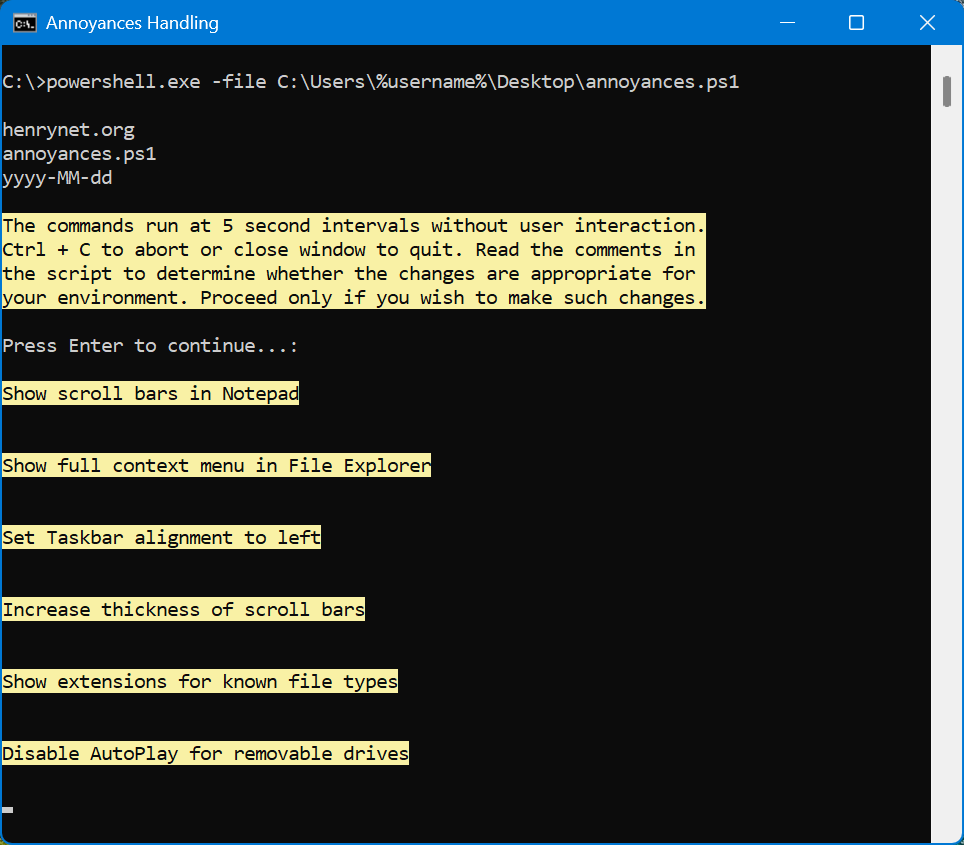
A PowerShell script is available below for download. It makes these system changes:
Show scroll bars in Notepad
Show full context menu in File Explorer
Set Taskbar alignment to left
Increase thickness of scroll bars
Show extensions for known file types
Disable AutoPlay for removable drives
Set sound scheme to no sounds
Disable Windows startup sound
Uninstall Windows Web Experience Pack
Disable news and interests
Disable search box suggestions
Disable the lock screen
Disable Windows Spotlight
Disable 'Let's finish setting up your PC'
Set power plan to never sleep
Disable hibernation
Uninstall Microsoft OneDrive app
Show accent color on title bars
Set monitor timeout to 10 minutes
Lock computer after 15 minutes inactivity
Disable Windows update scheduled tasks
Download the file then unzip it. The archive contains a file named annoyances.ps1
Read the comments section for instructions, and decide whether the script is suitable in your environment. It can be opened with Notepad. The script is running at the command prompt (cmd.exe) as administrator in the graphic below.